Rival Doomsday Robot
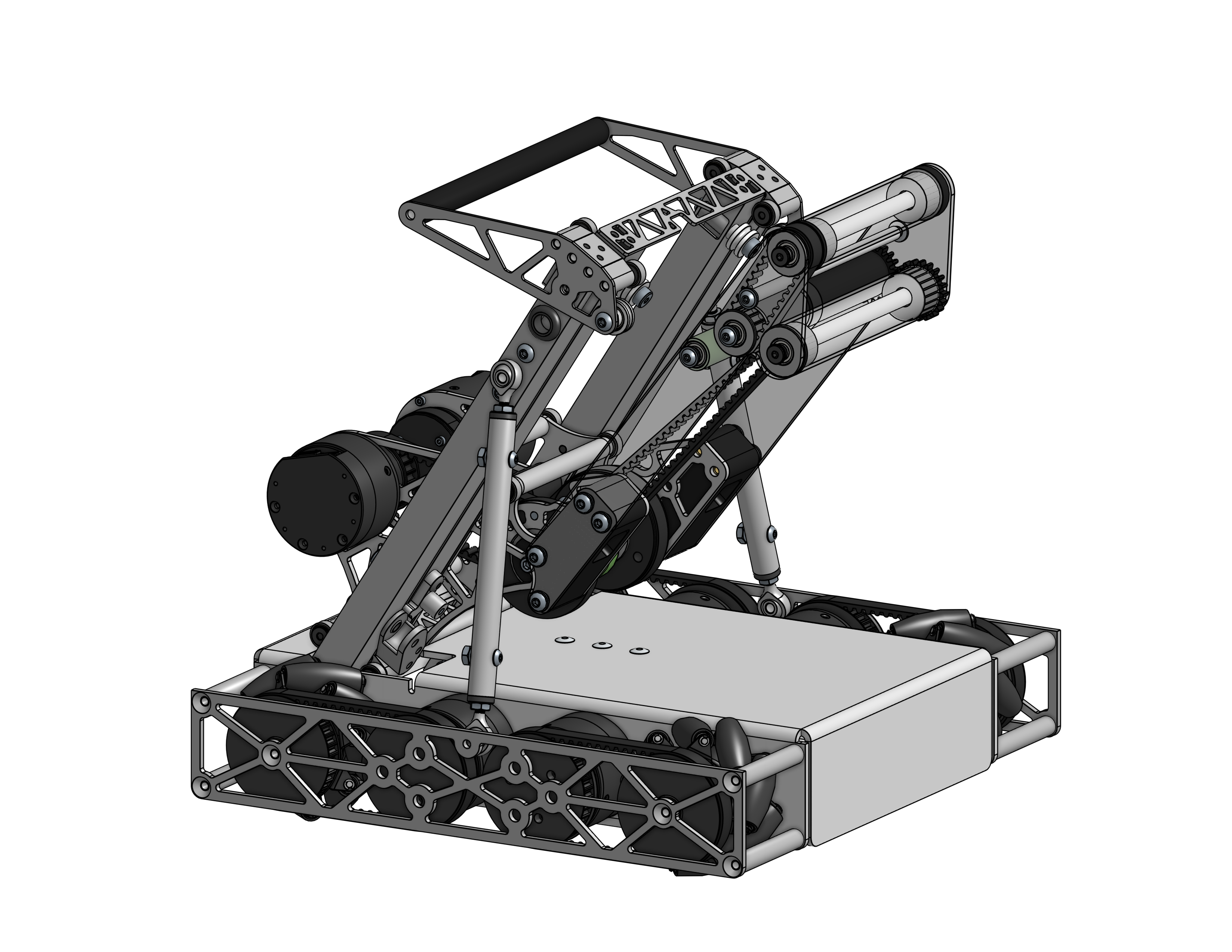
A competition robot for Rival Robotics Doomsday game, developed with a friend and sponsored by Limelight Vision. First full Onshape robot using part studio mastermodeling.
Project Overview
A competition robot built for the Rival Robotics Doomsday game. This robot was developed collaboratively with a friend and sponsored by Limelight Vision (my internship). It represents my first full robot designed in Onshape using the part studio workflow.
Role: Co-Designer
Competition: Rival Robotics Doomsday
Sponsor: Limelight Vision
Tools: Onshape
The Game
Doomsday is a birdie-based scoring game with multiple scoring zones at different heights:
| Zone | Points | Notes |
|---|---|---|
| Floor | 1 pt | Ground level |
| Tray | 2 pts | Slightly off the ground |
| Bucket | 4 pts | Mid-height |
| Tower Top | 8 pts | Only one birdie allowed |
Yellow birdies score double points in all zones.
Mastersketch Workflow
This was my first full robot in Onshape using the part studio feature, which provides the same mastermodeling workflow I developed in SolidWorks—but built-in and less buggy.
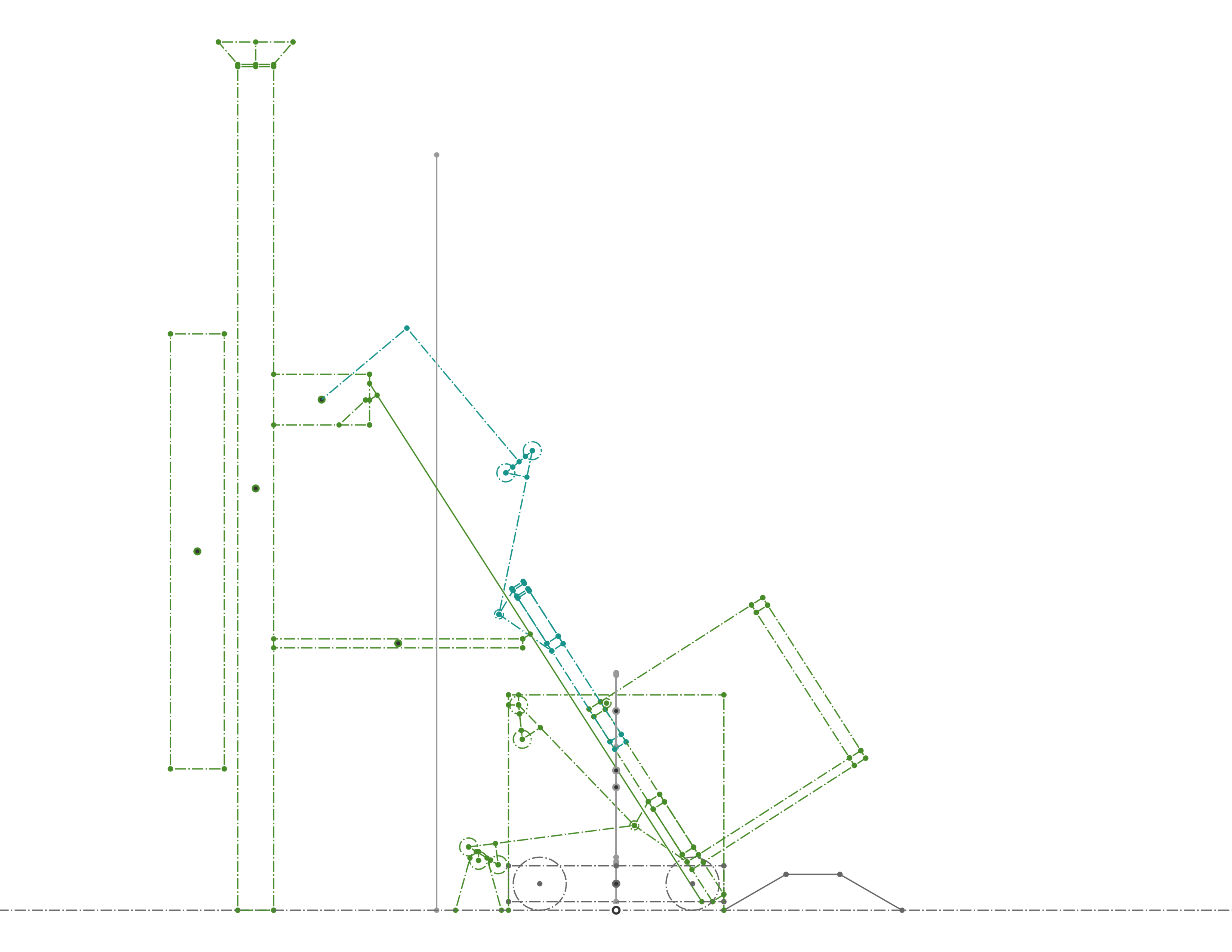
The mastersketch captures:
- Tower geometry and scoring zone heights
- Arm reach to assist scoring
- Robot frame and drivetrain layout
- Range of motion for the arm mechanism
Onshape vs SolidWorks mastermodeling:
- Part studios allow in-context modeling natively
- No external references to manage
- Real-time collaboration built in
- Less prone to rebuild errors
Key Mechanisms
Drivetrain
- Mecanum drive for omnidirectional movement
Arm
- Extended reach to access all scoring heights
End Effector
- Designed for birdie manipulation
- Quick intake and placement
- Co-Axial Power from Pivot
What I Learned
- Onshape part studios are powerful: The built-in mastermodeling approach eliminates many SolidWorks pain points
- Collaboration matters: Working with a partner accelerated development
Tech Stack
| Area | Tools |
|---|---|
| CAD | Onshape |
| Design Method | Part Studio Mastermodeling |
| Sponsor | Limelight Vision |