Part of ARC Team Software Suite
ARCIdeas
A real-time collaborative whiteboard and idea management app for brainstorming robot designs and team decisions.
Project Overview
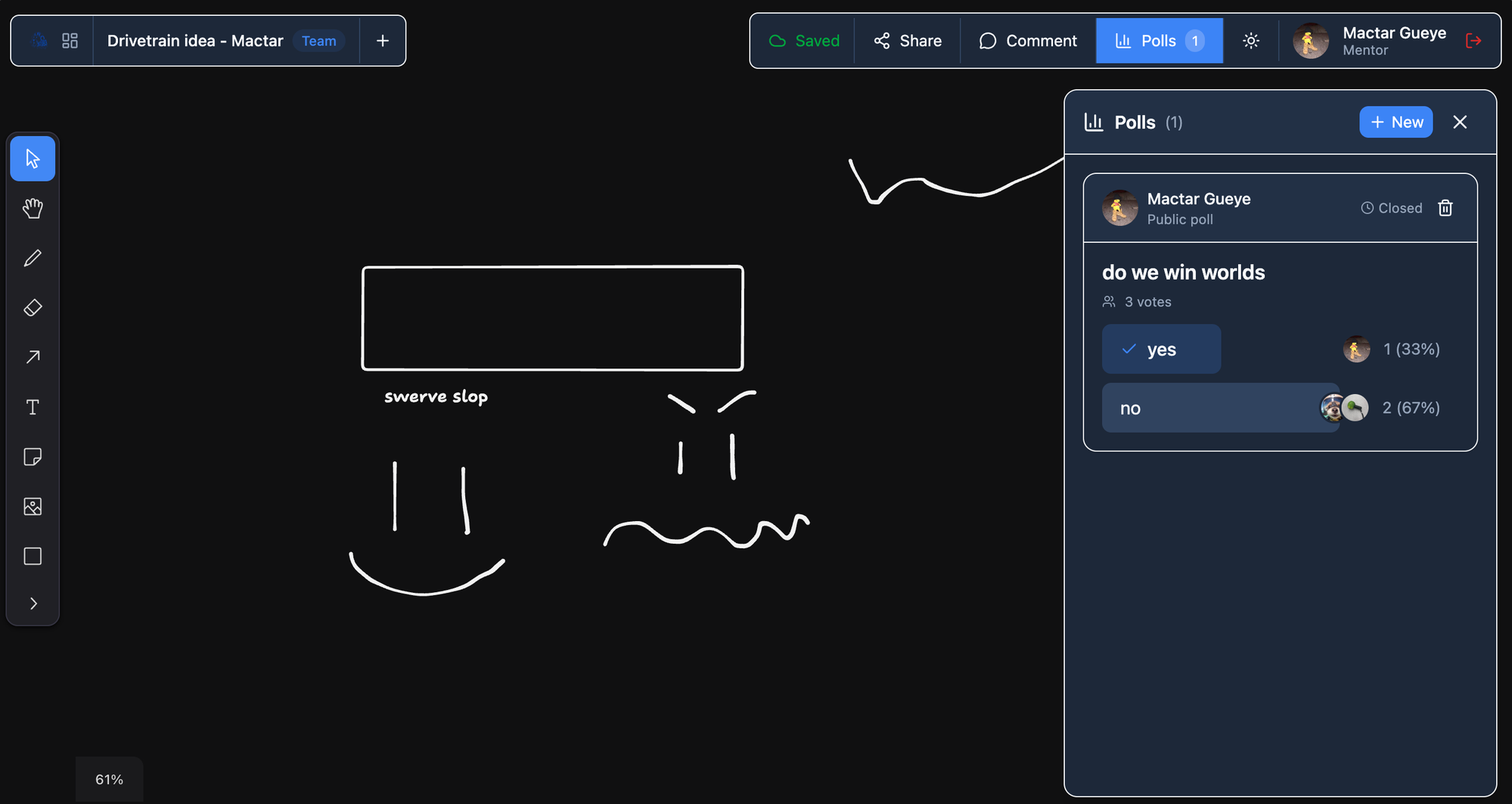
ARCIdeas is a collaborative whiteboard and idea management application I built for ARC Team 10183, my FIRST Robotics Competition team. The app lets team members create whiteboards, brainstorm visually, collaborate in real-time, and make decisions through embedded polls.
During an FRC season, teams constantly generate and evaluate ideas. Before building a mechanism in CAD, someone sketches it on paper or describes it verbally. Before committing to a strategy, the team discusses trade-offs. These conversations happen in meetings, in the shop, and over Discord. But the artifacts often get lost: napkin sketches disappear, whiteboard photos get buried in chat, and decisions are forgotten.
ARCIdeas provides a persistent space for visual thinking and team decisions that stays organized across the season.
Role: Solo developer, including product design, real-time collaboration architecture, frontend, backend, and deployment.
Tech Stack: Next.js 15, TypeScript, Supabase, PostgreSQL, Supabase Realtime, Tailwind CSS, tldraw, react-hook-form, Zod
The Problem
Our team needed a better way to capture and organize ideas during the design process. The existing workflow had several gaps:
- Whiteboard sketches from meetings were photographed but rarely referenced again.
- Design discussions happened across multiple Discord channels with no central record.
- When decisions were made, the reasoning was not documented.
- Team members working remotely could not participate in live brainstorming.
- There was no way to revisit the ideas that were considered but not chosen.
The goal of ARCIdeas was to give the team a shared space for visual thinking that works both synchronously (live collaboration) and asynchronously (leaving ideas for others to review).
The Solution
ARCIdeas provides personal and shared whiteboards where team members can sketch, diagram, and annotate. The core workflow supports:
- Creating personal boards for individual brainstorming
- Sharing boards with specific users or the whole team
- Real-time collaboration with live cursors and presence
- Threaded discussions attached to boards or specific elements
- Polls for team votes on design decisions
Instead of scattering ideas across tools, the team can brainstorm, discuss, and decide in one place.
Key Features
| Feature | What It Does | Why It Matters |
|---|---|---|
| Infinite Canvas | Freeform whiteboard with drawing, shapes, text, and images | Supports any kind of visual thinking without constraints |
| Real-time Collaboration | See other users' cursors and changes live | Enables remote participation in brainstorming sessions |
| Board Sharing | Share with specific users or entire team | Controls who can view and edit each board |
| Threaded Comments | Discussions attached to boards or canvas elements | Keeps context connected to the relevant ideas |
| Embedded Polls | Quick team votes within boards or standalone | Makes decision-making visible and documented |
| Presence Indicators | See who is viewing or editing a board | Builds awareness of team activity |
Technical Deep Dive: Real-time Collaboration
The most technically challenging aspect of ARCIdeas is real-time collaboration. When multiple users edit the same board, their changes need to appear instantly for everyone without conflicts or data loss.
The collaboration system uses Supabase Realtime for three types of synchronization:
1. Presence
Presence shows who is currently viewing or editing a board. Each user's cursor position and selected element are broadcast to other viewers.
const channel = supabase.channel(`board:${boardId}`)
channel
  .on('presence', { event: 'sync' }, () => {
    const state = channel.presenceState()
    // Update collaborator cursors from presence state
  })
  .subscribe(async (status) => {
    if (status === 'SUBSCRIBED') {
      await channel.track({
        cursor: { x: 0, y: 0 },
        userId: user.id,
        userName: user.name
      })
    }
  })
Presence updates are ephemeral. They show current activity but are not persisted to the database. When a user closes the board, their cursor disappears from other users' views.
2. Broadcast
Canvas changes are broadcast to other connected users in real-time. When someone draws a shape, moves an element, or adds text, the change propagates immediately to other viewers.
The whiteboard library (tldraw) provides change events that the app broadcasts through Supabase channels. Other clients receive these events and apply them to their local canvas state.
3. Postgres Changes
Structural changes like new comments, poll votes, and permission updates use Postgres change notifications. When a user adds a comment, Supabase broadcasts the insert to subscribed clients, which update their UI without polling.
This three-layer approach balances responsiveness with reliability. Ephemeral cursor movements go through presence. Canvas operations go through broadcast for speed. Persistent data changes go through Postgres for durability.
Technical Deep Dive: Canvas Architecture
ARCIdeas uses tldraw as the whiteboard engine. tldraw provides:
- Infinite canvas with pan and zoom
- Drawing tools (pencil, shapes, arrows, text)
- Image embedding
- Selection and transformation
- Undo/redo history
- Touch support for tablets
The canvas state is stored as a JSON document in the canvas_data column. When a user opens a board, the app loads this document into tldraw. When they make changes, the app periodically saves the updated state back to the database.
State management strategy:
- Load initial state from database when board opens
- Apply real-time changes from other users via broadcast
- Debounce saves to avoid excessive database writes
- Conflict resolution: last write wins, with timestamp tracking
For boards with heavy collaboration, the app saves more frequently. For solo editing, saves are batched to reduce database load.
The JSON document format means the app does not need schema migrations when tldraw adds new features. The canvas state is opaque to the database layer.
Sharing and Permissions
Boards have three visibility levels:
| Visibility | Who Can Access |
|---|---|
| Private | Only the owner |
| Shared | Owner plus specifically invited users |
| Team | Everyone on the team |
For shared and team boards, permissions can be set to view-only or edit. View-only users can see the board and comments but cannot modify the canvas. Edit users can make changes and collaborate in real-time.
Permission enforcement:
- Row-level security policies check visibility and share records on every query
- Real-time channels verify permissions before allowing connections
- The UI reflects the user's permission level (hiding edit tools for view-only users)
Mentors can access and moderate any board. This prevents inappropriate content and allows mentors to review team discussions.
Comments and Discussions
Each board has a threaded comment system for asynchronous discussion. Comments can be:
- Attached to the board as a whole (general discussion)
- Pinned to a specific canvas element (contextual feedback)
- Pinned to a canvas location (pointing at a specific area)
Threading allows replies to create nested conversations. This keeps related discussion grouped instead of becoming a flat timeline.
Element-linked comments are powerful for design feedback. A mentor can attach a comment directly to a mechanism sketch saying "Consider the mounting angle here." When the sketch is selected, the comment highlights. When the sketch is deleted, the comment is orphaned but preserved.
Comments support markdown formatting for rich text, code blocks, and lists.
Polling System
Polls allow quick team votes on design decisions. They can be embedded in boards or created standalone.
Poll types:
| Type | Behavior |
|---|---|
| Single choice | Select one option |
| Multiple choice | Select any number of options |
| Ranked | Drag to order preferences |
Poll features:
- Anonymous voting option (hides who voted for what)
- Close time for automatic poll ending
- Results visualization with charts
- Vote changing until poll closes
When a poll is embedded in a board, it appears as an interactive element on the canvas. Collaborators can vote without leaving the whiteboard context.
Polls document decisions with their reasoning. Looking back at a poll shows not just what was decided but what alternatives were considered and how the team voted.
Data Model
The database uses an ideas_ prefix to coexist with ARCParts tables in the shared Supabase project.
ideas_boards
├── ideas_board_shares (who has access)
├── ideas_comments (threaded discussions)
└── ideas_polls
    └── ideas_poll_votes

ideas_presence (ephemeral, for real-time cursors)
Board storage:
canvas_datastores the full tldraw document as JSONBthumbnail_urlstores a generated preview image for board listingsarchived_atsupports soft deletion without losing history
Comments:
parent_idenables threadingelement_idlinks to a canvas elementpositionstores x/y coordinates for location-pinned comments
Polls:
optionsstores choice definitions as JSONBvotesstores each user's selections as JSONB- Vote format varies by poll type (single value, array, or ranked list)
Use Cases
ARCIdeas supports several workflows common during FRC seasons:
Mechanism Brainstorming
Before opening CAD, designers sketch mechanism concepts on ARCIdeas boards. Multiple ideas can be placed side-by-side for comparison. Team members comment on trade-offs. A poll decides which concept to prototype.
Autonomous Routine Planning
Drive team members diagram field positions and robot paths. The infinite canvas lets them draw multiple auto routines on the same board. Comments capture notes about timing and risks.
Strategy Sessions
During competition prep, strategists create boards for match analysis. They diagram opponent tendencies, identify scoring opportunities, and plan defensive strategies. These boards persist for reference during the event.
Team Votes
When the team faces design decisions, mentors create polls. Should we prioritize climbing or floor scoring? Which alliance partner should we request? The poll captures the team's input and documents the decision.
Meeting Notes
During design reviews and build meetings, someone captures notes on a shared board. Diagrams, action items, and decisions live together instead of in separate documents.
Permissions Model
ARCIdeas uses the shared authentication system from the ARC suite.
| Role | Permissions |
|---|---|
| Mentor | Access all boards, delete any board, moderate comments, create team polls |
| Student | Create personal boards, share with others, vote in polls |
Board owners control sharing for their own boards. Mentors can override permissions for moderation purposes.
Row-level security policies enforce permissions at the database level:
CREATE POLICY "ideas_boards_select" ON ideas_boards
  FOR SELECT USING (
    has_app_access('ideas') AND (
      owner_id = auth.uid()
      OR visibility = 'team'
      OR EXISTS (
        SELECT 1 FROM ideas_board_shares
        WHERE board_id = ideas_boards.id AND user_id = auth.uid()
      )
    )
  );
Integration with ARCParts
ARCIdeas shares the same Supabase project and user accounts as ARCParts. Users with access to both apps see a unified experience:
- Same login credentials
- Same profile and role
- Consistent UI patterns
Future integration could link boards to specific robots or subsystems in ARCParts, creating cross-references between design ideas and manufactured parts.
Mobile and Tablet Support
ARCIdeas works on tablets for touch-based drawing and on phones for viewing and commenting.
Tablet experience:
- Touch drawing with pressure sensitivity (where supported)
- Pinch to zoom, two-finger pan
- Palm rejection for natural drawing
Phone experience:
- View boards and comments
- Vote in polls
- Limited editing (better suited for tablets or desktop)
The responsive layout adapts controls and panel positions based on screen size.
Technical Challenges
The hardest part of ARCIdeas was building reliable real-time collaboration. Canvas operations generate many small changes that need to sync quickly without overwhelming the network or database.
The solution uses multiple synchronization layers. Cursor movements go through presence (ephemeral, high frequency). Canvas changes go through broadcast (fast, not persisted). Saves go through the database (durable, batched). This separation keeps the UI responsive while ensuring data is not lost.
Another challenge was conflict resolution when two users edit the same element simultaneously. The current approach is last-write-wins with UI feedback showing when conflicts occur. A future improvement could use operational transformation or CRDTs for more sophisticated merging.
Impact
ARCIdeas gives the team a persistent space for visual thinking that was previously scattered across photos, chats, and verbal conversations. Ideas are captured when they happen and remain accessible throughout the season.
The real-time collaboration enables remote participation in brainstorming. Team members who cannot attend meetings in person can still contribute to design discussions.
Polls document decisions with their context. Instead of forgetting why a choice was made, the team can look back at what was considered and how people voted.
What I Learned
ARCIdeas taught me about the complexity of real-time collaborative systems. Synchronizing state across multiple clients while keeping the UI responsive requires careful architecture decisions about what to sync, when to sync, and how to handle conflicts.
I also learned about canvas-based interfaces and the tldraw library. Integrating a third-party canvas engine while adding collaboration features required understanding how tldraw manages state and events.
The project pushed me to think about asynchronous workflows. Not all collaboration is simultaneous. Designing for both live editing sessions and leave-and-return usage patterns required different UX considerations.
Future Plans
The next major features are:
- Offline support with service worker caching and sync
- Board templates for common use cases (auto planning, mechanism comparison)
- Export to image or PDF for sharing outside the app
- Onshape integration to embed CAD models in boards
- Mobile-optimized drawing UI
Known Limitations
ARCIdeas depends on Supabase Realtime, which can have latency under heavy load. Very large boards with complex canvas states may experience slower sync times.
The current conflict resolution (last write wins) can lose edits in rare cases when two users modify the same element at the same instant. Most collaborative editing involves different areas of the canvas, so this is uncommon in practice.
Tech Stack
| Area | Tools |
|---|---|
| Frontend | Next.js 15, TypeScript, Tailwind CSS |
| Backend | Supabase, PostgreSQL, Server Actions |
| Auth | Supabase Auth, Row-Level Security |
| Real-time | Supabase Realtime (Presence, Broadcast, Postgres Changes) |
| Canvas | tldraw |
| Forms | react-hook-form, Zod |
| Deployment | Vercel, Supabase |
More in ARC Team Software Suite
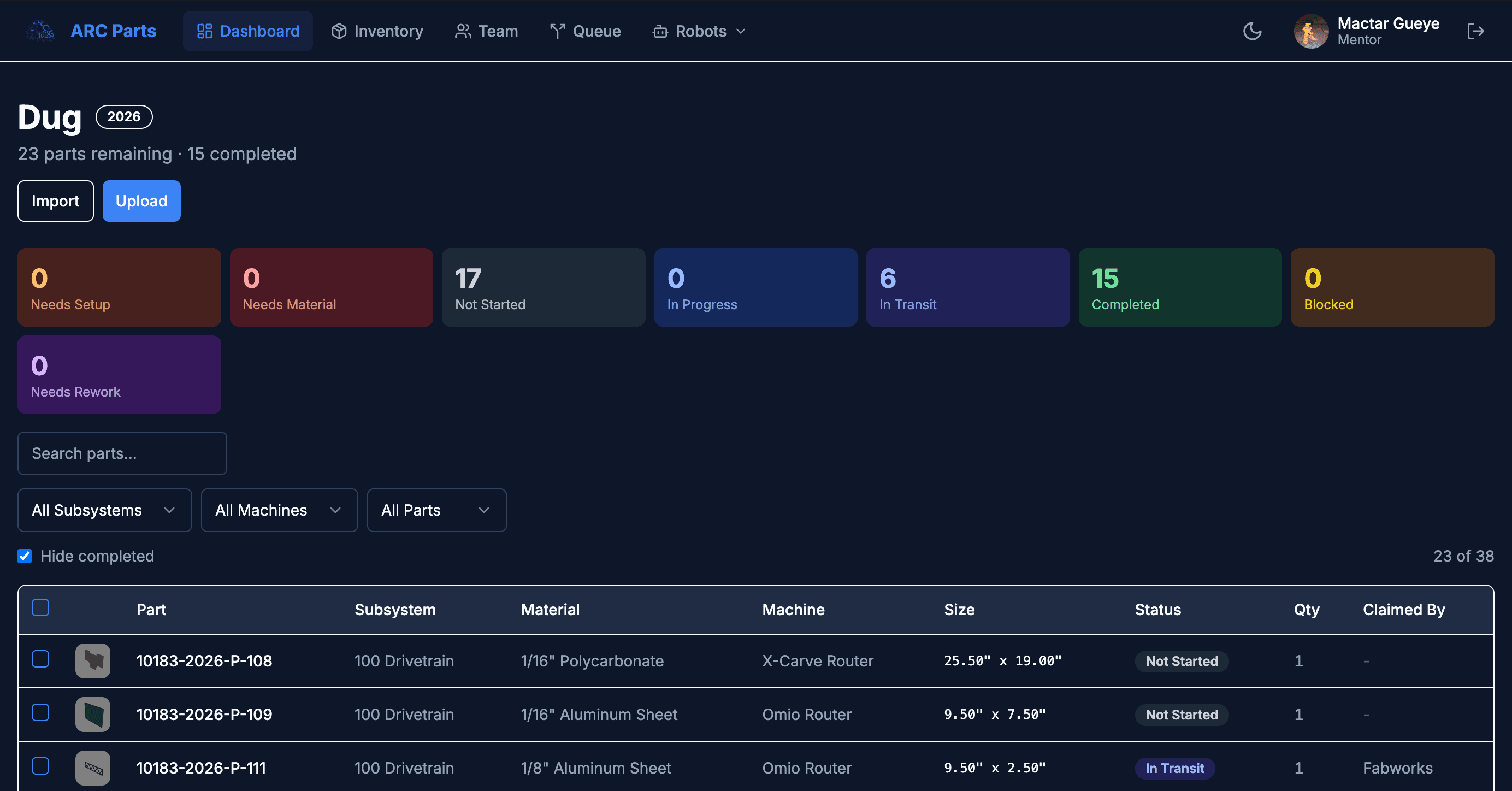
ARCParts
A full-stack manufacturing tracker and inventory management system built for an FRC team workflow.
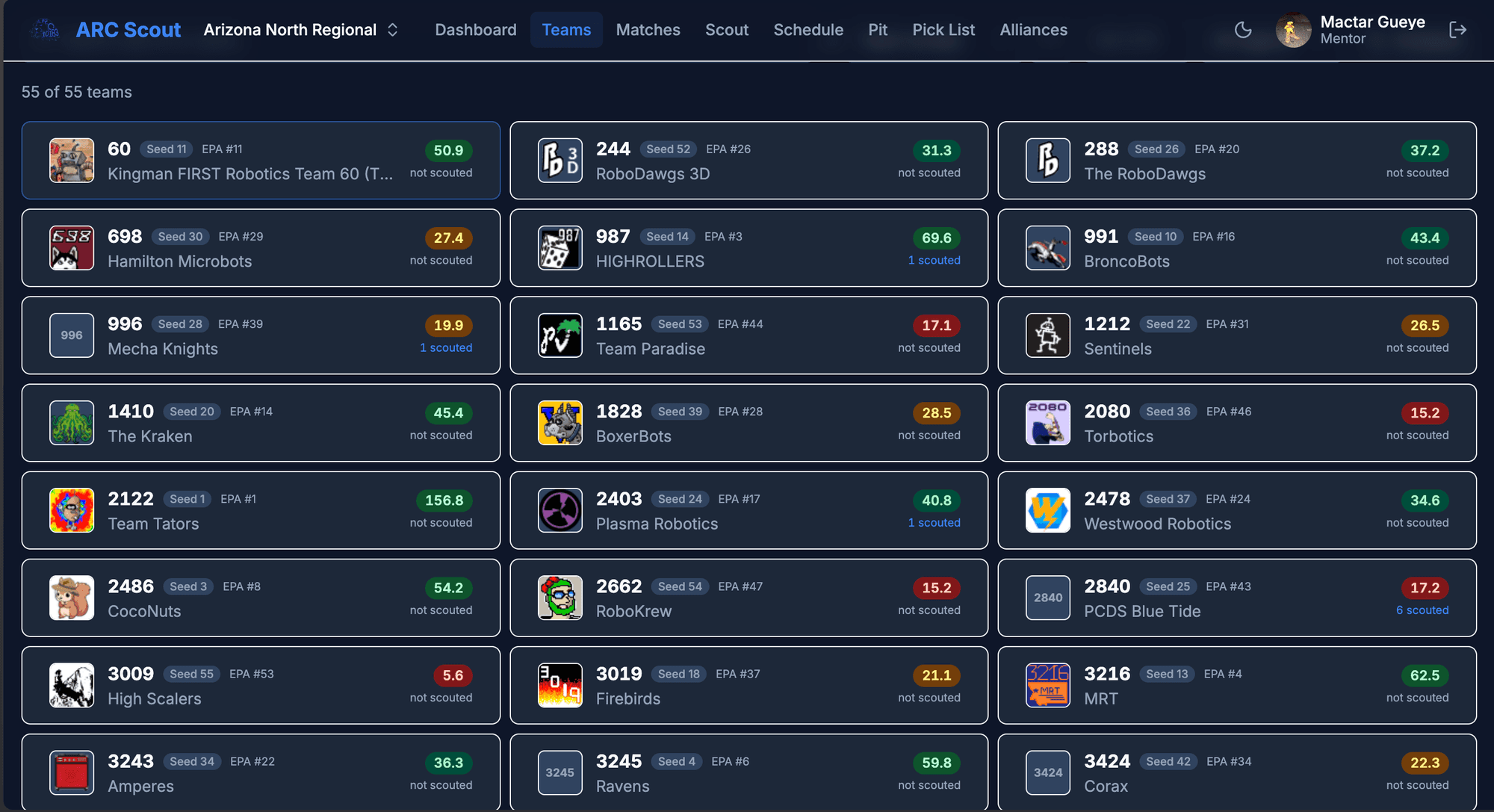
ARCScout
A configurable scouting and data collection app for FRC competitions with real-time team analytics and alliance selection tools.
ARC Auth
A centralized authentication service for the ARC software suite with shared user accounts and cross-app session management.