Part of ARC Team Software Suite
ARCScout
A configurable scouting and data collection app for FRC competitions with real-time team analytics and alliance selection tools.
Project Overview
ARCScout is a scouting and data collection application I designed for ARC Team 10183, my FIRST Robotics Competition team. The app helps scouts collect match data, analyze team performance, and make informed decisions during alliance selection.
FRC games change every year, which means scouting requirements change too. A scouting app built for one season might be useless the next. ARCScout solves this by supporting configurable scouting forms that mentors can customize for each game. The app also integrates with The Blue Alliance API to automatically fetch event data, team lists, and match schedules, and with the Statbotics API to provide EPA-based performance analytics.
Role: Solo developer, including product design, frontend, backend, database architecture, API integrations, and real-time data synchronization.
Tech Stack: Next.js 15, TypeScript, Supabase, PostgreSQL, Tailwind CSS, The Blue Alliance API, Statbotics API, @dnd-kit, react-hook-form, Zod
The Problem
Before ARCScout, our team used a combination of Google Forms and spreadsheets to collect scouting data at competitions. This created several problems:
- Data entry was slow and error-prone on mobile devices during matches.
- Scouting data lived separately from team statistics and match schedules.
- Comparing teams required manually copying data between sheets.
- Alliance selection decisions relied on scattered notes and memory.
- There was no way to correlate our observations with objective performance metrics.
The goal of ARCScout was to give scouts a fast data entry interface, give strategists a unified view of scouting data and analytics, and give drive coaches a structured pick list for alliance selection.
The Solution
ARCScout provides a complete scouting workflow from event setup through alliance selection. The system pulls event data automatically from The Blue Alliance, overlays team performance statistics from Statbotics, and lets scouts fill out customizable forms during matches.
The core workflow:
- Event setup with automatic TBA data import
- Configurable scouting forms for each season
- Mobile-optimized match scouting interface
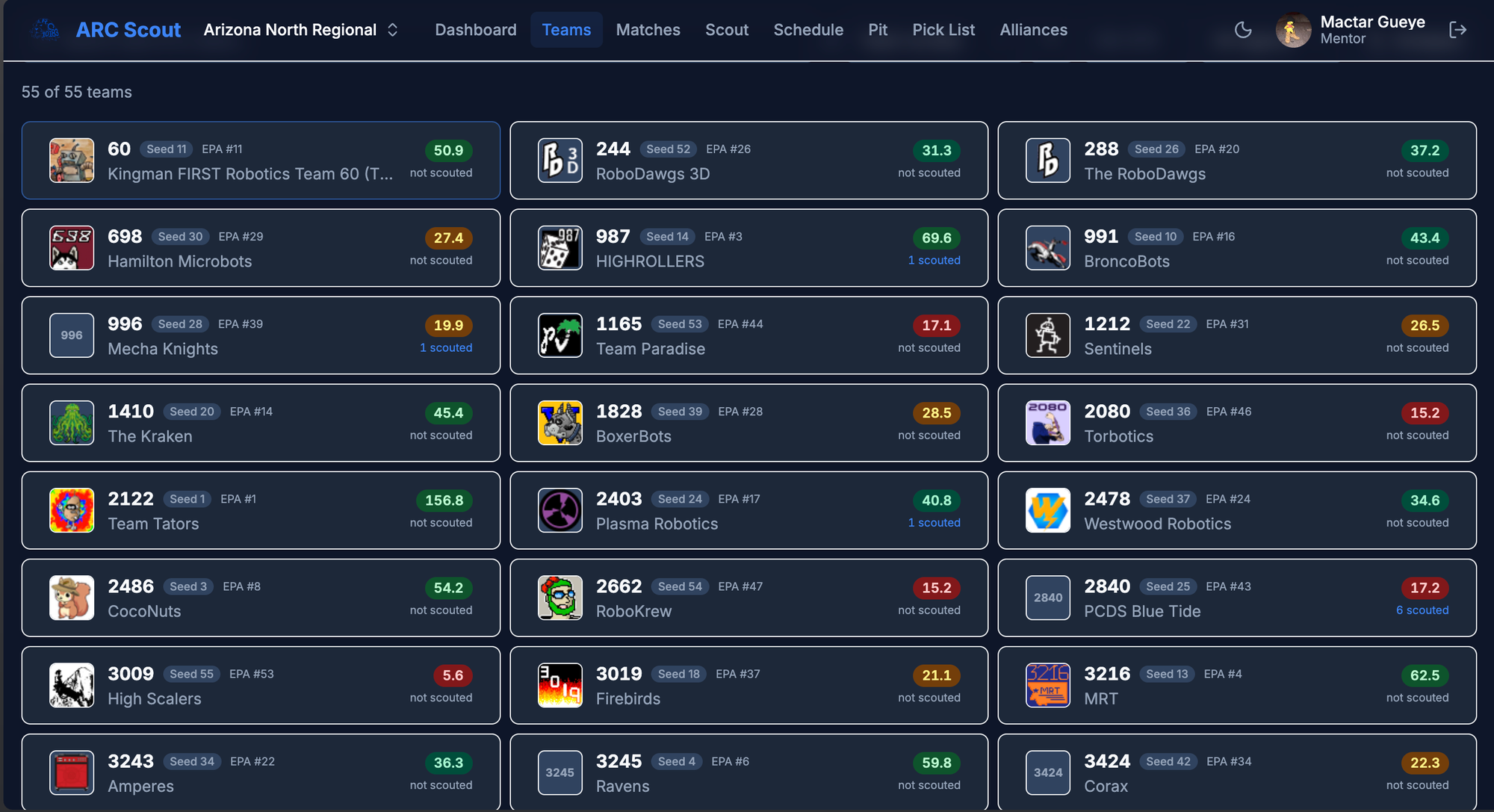
- Team summaries combining scouting data with EPA metrics
- Kanban-style pick list for alliance selection
- Pit scouting for robot specifications and photos
Instead of juggling multiple spreadsheets and websites, scouts and strategists work from a single system that keeps everything connected.
Key Features
| Feature | What It Does | Why It Matters |
|---|---|---|
| TBA Integration | Imports events, teams, and matches automatically | Eliminates manual data entry for event setup |
| Statbotics Integration | Shows EPA ratings and performance trends | Provides objective metrics alongside subjective observations |
| Form Builder | Lets mentors configure scouting fields per season | Makes the app reusable across different FRC games |
| Mobile Scouting UI | Large touch targets and counters for fast entry | Reduces errors during live matches |
| Pick List Board | Drag-and-drop team ranking with tiers | Organizes alliance selection decisions visually |
| Team Comparison | Side-by-side view of scouting data and stats | Helps strategists evaluate trade-offs between picks |
Technical Deep Dive: Configurable Forms
The most important architectural decision in ARCScout is the configurable form system. Since FRC games change every year, hardcoding scouting fields would make the app obsolete each January.
Instead, form definitions are stored as JSON schemas in the database. Each form contains an array of field definitions with properties like type, label, section, and validation rules.
Supported field types:
textandtextareafor commentsnumberwith optional min/max constraintsbooleanfor yes/no questionsselectandmulti_selectfor choice fieldsratingfor 1-5 star ratingscounterfor tap-to-increment values (game piece counts)
Form sections organize fields by match phase:
- Pre-match (team number, starting position)
- Auto (autonomous period observations)
- Teleop (teleoperated period observations)
- Endgame (climbing, parking)
- Post-match (overall impressions, comments)
The frontend renders forms dynamically based on the JSON schema. A FieldRenderer component maps field types to the appropriate UI components. This means mentors can create entirely new forms through the UI without any code changes.
interface FormField {
  id: string;
  label: string;
  type: 'text' | 'textarea' | 'number' | 'boolean' | 'select' | 'multi_select' | 'rating' | 'counter';
  section: 'pre_match' | 'auto' | 'teleop' | 'endgame' | 'post_match';
  required: boolean;
  options?: string[];
  min?: number;
  max?: number;
}
Form templates can be saved and reused across events in the same season. This lets the team refine their scouting approach during the year without rebuilding from scratch.
Technical Deep Dive: API Integrations
ARCScout integrates with two external APIs to provide comprehensive team information.
The Blue Alliance API
The Blue Alliance is the primary source for official FRC data. When a mentor enters an event code like 2026nvlv, ARCScout fetches:
- Event name, dates, and location
- Complete team list with team names and locations
- Full match schedule including qualifications and playoffs
This data is cached in Supabase so the app works even when TBA is slow or unavailable. The match schedule powers the scouting queue, showing scouts which matches are coming up and which teams they need to watch.
Statbotics API
Statbotics provides EPA (Expected Points Added) ratings that quantify how much a team contributes to alliance scores. ARCScout fetches EPA breakdowns for each team:
- Total EPA
- Auto EPA
- Teleop EPA
- Endgame EPA
- Win rate and ranking
These metrics appear alongside scouting data on team profile pages. Scouts can see both objective performance numbers and subjective observations in one place.
Confidence indicators flag discrepancies between scouting data and EPA ratings. If a low-EPA team performs well in scouting observations, the app highlights them as a potential hidden gem. If a high-EPA team has concerning scouting notes, strategists can investigate further.
Pick List System
The pick list is a Kanban-style board for organizing alliance selection decisions. Teams are sorted into five columns:
| Tier 1 | Tier 2 | Tier 3 | Do Not Pick | Uncategorized |
|---|---|---|---|---|
| Top picks | Strong picks | Decent picks | Avoid | Not yet ranked |
When an event is loaded, all teams start in Uncategorized. As the team analyzes scouting data and statistics, they drag teams to appropriate tiers and reorder within tiers to set priority.
Pick list features:
- Drag and drop with @dnd-kit for smooth interactions
- EPA badges on each team card for quick reference
- Notes field for recording discussion points
- Lock teams when they are picked by other alliances
- Alliance tracking to record which teams form alliances
- Filter by team number, name, or EPA range
- Print view for paper backup during selection
The pick list combines the team's scouting observations with Statbotics data, giving drive coaches a structured tool for making fast decisions during alliance selection.
Match Scouting Workflow
The match scouting interface is optimized for speed and accuracy during live matches.
Scouting queue shows upcoming matches from the TBA schedule. Scouts can see which matches they are assigned to and which robot position they are watching (red 1, blue 1, etc.).
Live scouting view provides:
- Large touch targets for mobile devices
- Counter buttons that can be tapped rapidly for game piece counts
- Toggle switches for boolean observations
- Timer showing the current match phase (auto/teleop/endgame)
- Quick submit button to save and load the next assignment
Scouter assignments (optional) let lead scouts pre-assign team members to specific robots and matches. This prevents duplication and ensures coverage across all teams.
The interface prioritizes minimal typing. Most inputs are taps, toggles, and counters. Text fields are reserved for comments and notes that require qualitative input.
Data Model
The database structure centers around events, matches, forms, and scouting entries.
events
├── event_teams (cached from TBA, includes Statbotics EPA)
├── matches (cached from TBA)
├── scouting_entries
│   └── linked to form definitions
└── pick_lists
    └── pick_list_teams (with tier and position)

scouting_forms
└── form field definitions (JSON)
Scouting entries store the actual data collected by scouts. Each entry links to an event, a match (for match scouting) or null (for pit scouting), a form definition, and the scouter who submitted it. The scouting data itself is stored as JSONB, keyed by field ID.
This structure lets the app store data from any form configuration without schema changes. Adding a new field to a form just means new keys appear in the data JSONB column.
Pit Scouting
Pit scouting collects robot specifications and capabilities before matches begin. Scouts visit team pits to document:
- Robot dimensions and weight
- Drivetrain type
- Scoring mechanisms
- Autonomous capabilities
- Photos of the robot
Pit scouting uses the same configurable form system as match scouting. A separate form template handles pit-specific questions.
The team list page shows which teams have been pit scouted, making it easy to track coverage and identify teams that still need visits.
Permissions Model
ARCScout uses the shared authentication system from the ARC suite. Permissions are role-based:
| Role | Permissions |
|---|---|
| Mentor | Create events, manage forms, edit pick lists, view all data, assign scouters |
| Student | Fill out scouting forms, view data, view pick lists (read-only by default) |
Optional granular permissions allow mentors to delegate:
can_edit_pick_listfor trusted students to modify rankingscan_create_formsfor lead scouts to build formslead_scoutrole for students with elevated privileges
Row-level security policies enforce these permissions at the database level.
Mobile Optimization
Scouting happens on phones and tablets in noisy competition venues. The interface is designed for these conditions:
- Large touch targets (minimum 44px) for all interactive elements
- Counter buttons that respond to rapid tapping
- Portrait orientation optimized for one-handed use
- Minimal scrolling required during active scouting
- High contrast colors for visibility in bright arenas
The form layout adapts to screen size. On phones, sections display vertically with collapsible headers. On tablets, sections can display side-by-side for faster scanning.
Offline Support (Planned)
Competition venues often have unreliable wifi. A future version will add:
- Service worker for offline page access
- IndexedDB for local data storage
- Background sync when connection restores
- Visual indicator showing sync status
For now, the app works best with a mobile data connection as backup.
Technical Challenges
The hardest part of ARCScout was designing the configurable form system to be flexible enough for any FRC game while keeping the UI fast and intuitive. Too much flexibility would make form creation confusing. Too little would limit the app's usefulness across seasons.
The solution was a structured field type system with clear purposes. Instead of arbitrary field configurations, each type has defined behavior. A counter always increments on tap. A rating always shows five stars. This constraint makes forms predictable for scouts while giving mentors enough flexibility to model any game.
Integrating multiple external APIs also required careful error handling. TBA and Statbotics can be slow or unavailable during high-traffic competition weekends. The app caches aggressively and gracefully degrades when APIs are unreachable.
Impact
ARCScout centralizes the scouting workflow that previously required multiple spreadsheets, forms, and websites. Scouts have a faster interface for data entry. Strategists have unified views combining subjective observations with objective metrics. Drive coaches have a structured pick list instead of scattered notes.
The configurable form system means the app will remain useful as FRC games change. Instead of building new scouting tools each season, the team can focus on refining their scouting strategy.
What I Learned
ARCScout taught me how to design flexible systems that can adapt to changing requirements without becoming overly complex. The form builder approach means the app can support use cases I have not anticipated yet.
I also gained experience integrating multiple external APIs and handling the reliability challenges that come with depending on third-party services. Caching, graceful degradation, and clear error messages became important parts of the user experience.
The drag-and-drop pick list pushed me to learn @dnd-kit and think carefully about keyboard accessibility and touch interactions.
Future Plans
The next major features are:
- Full offline support with service worker and IndexedDB
- Super scouting for alliance-level observations
- Advanced analytics dashboard with performance trends
- Match predictions using Statbotics data
- PWA installation for mobile home screens
Tech Stack
| Area | Tools |
|---|---|
| Frontend | Next.js 15, TypeScript, Tailwind CSS |
| Backend | Supabase, PostgreSQL, Server Actions |
| Auth | Supabase Auth, Row-Level Security |
| APIs | The Blue Alliance API, Statbotics API |
| Forms | react-hook-form, Zod |
| Drag & Drop | @dnd-kit/core |
| Deployment | Vercel, Supabase |
More in ARC Team Software Suite
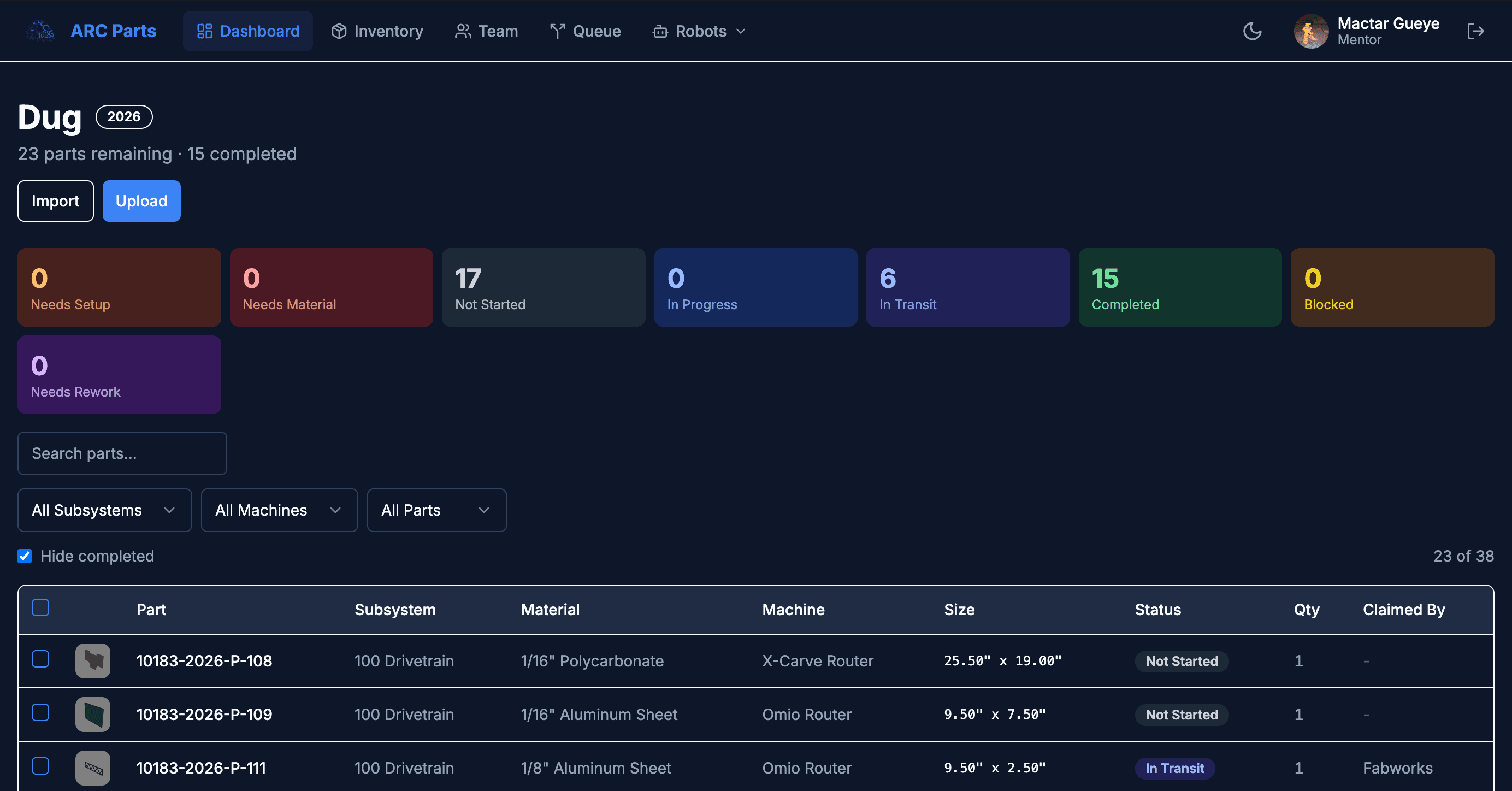
ARCParts
A full-stack manufacturing tracker and inventory management system built for an FRC team workflow.
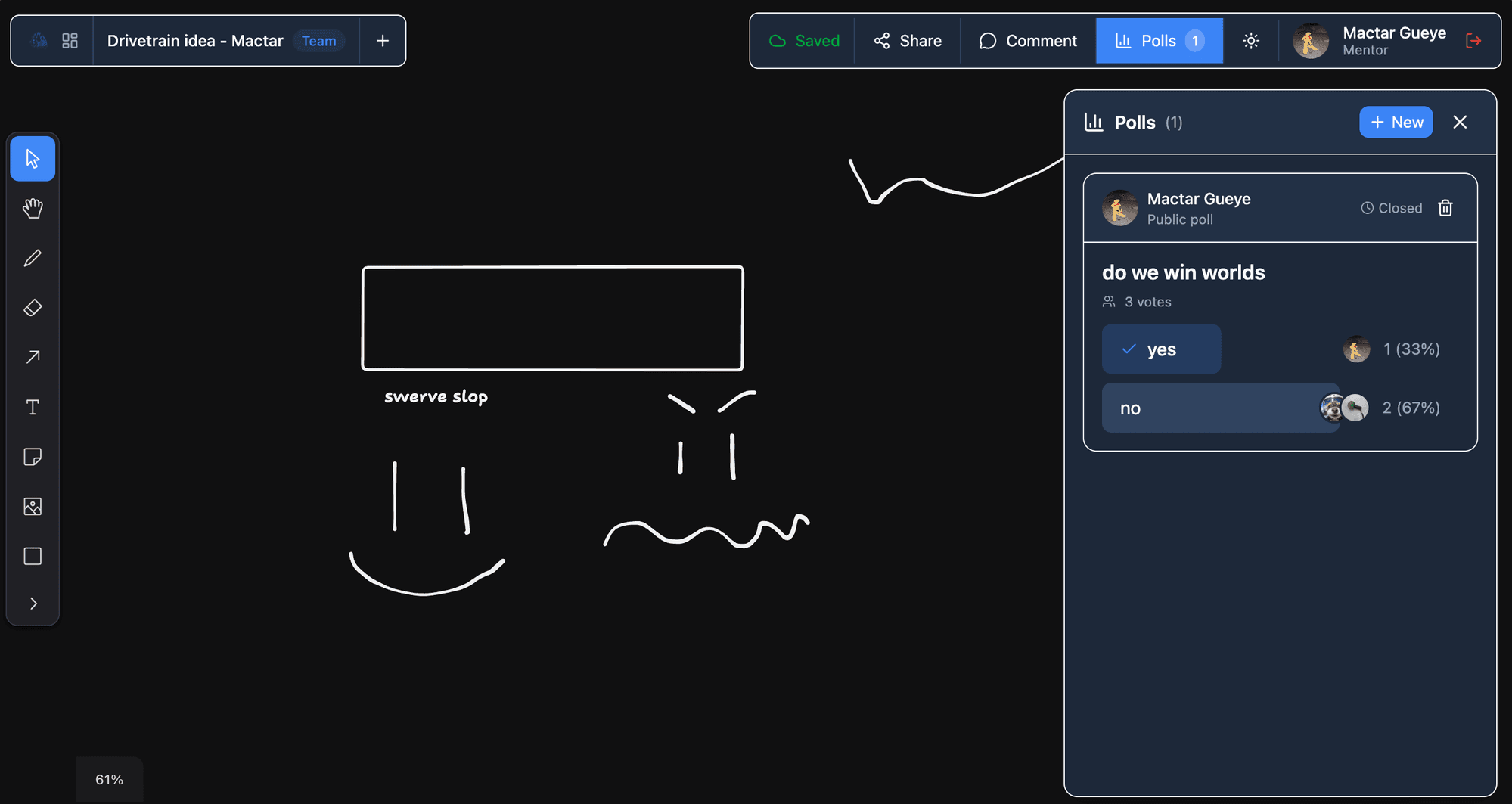
ARCIdeas
A real-time collaborative whiteboard and idea management app for brainstorming robot designs and team decisions.
ARC Auth
A centralized authentication service for the ARC software suite with shared user accounts and cross-app session management.